

For PTO and PTA boards
Every school event, one board.
PineBoard keeps the tasks, volunteers, shopping list, and budget for every event in one place, so your board stops running on group texts, spreadsheets, and paper signup sheets.
Free for 60 days · No card needed · Volunteers never pay


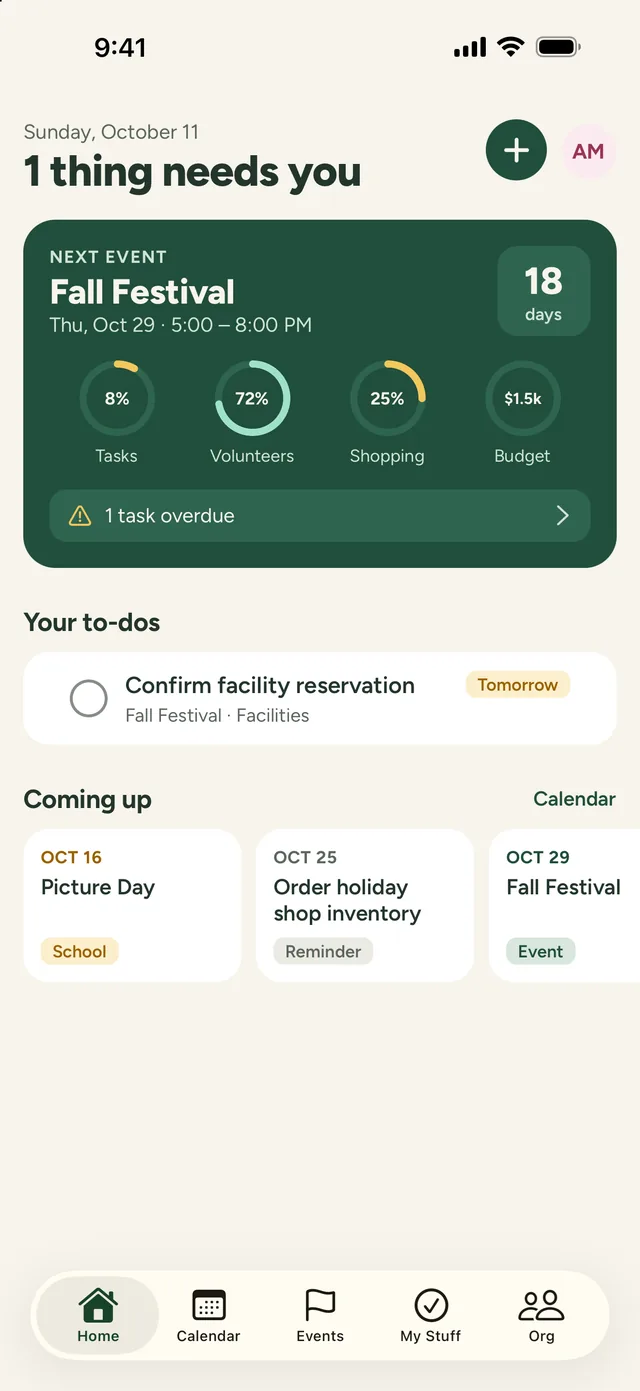
No more group-text chaos
Every task has an owner and a due date, and everyone sees the same plan.
No more paper signup sheets
Parents sign up for volunteer spots from one link, and get reminded the day before.
No more mystery spending
The budget, shopping list, and receipts live with the event they belong to.
Plan the event
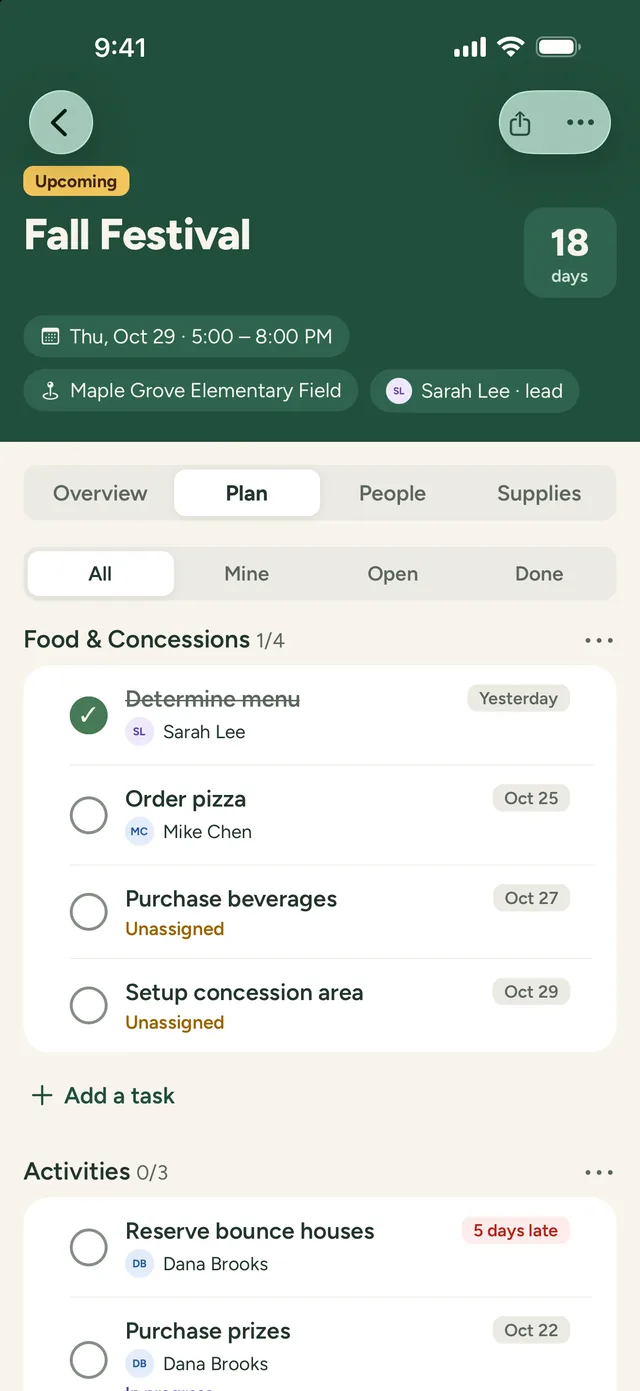
Split the work, share the load
- Break the work into areas like Food, Activities, and Setup
- Give every task an owner and a due date, and see what’s overdue at a glance
- Repeat last year’s event with its plan, volunteer spots, and shopping list
- Keep notes, contracts, flyers, and photos with the event
Know where things stand
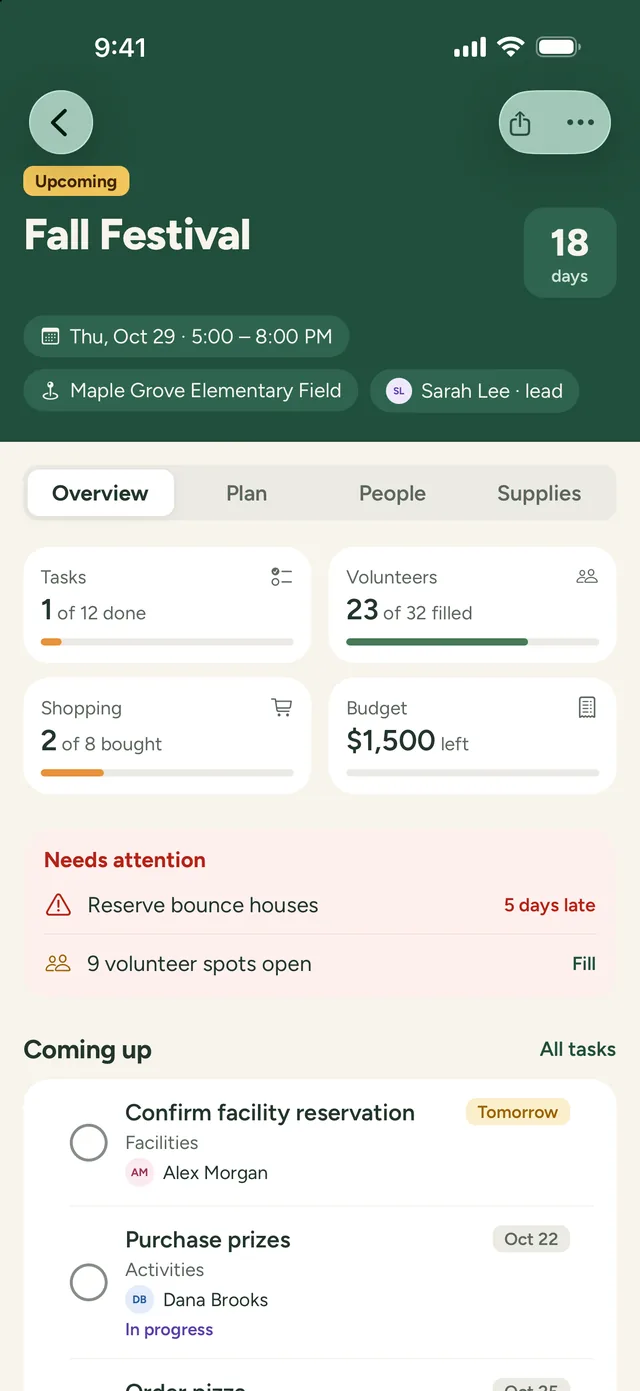
One look tells you if you’re ready
- Progress on tasks, volunteers, shopping, and budget in one place
- Late tasks and open volunteer spots flagged before they become problems
- A countdown to the big day, and status that updates itself
- Notes afterwards, so next year’s board knows what to change
Rally the volunteers
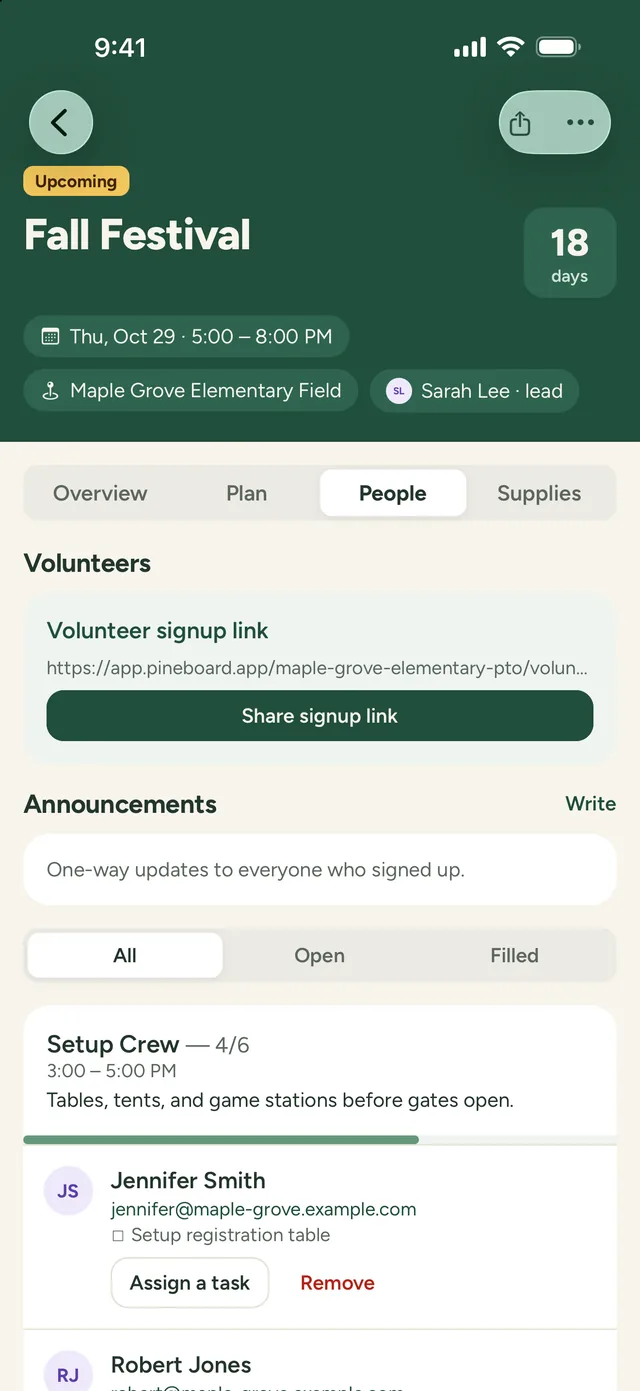
One link for every volunteer
- Add spots like Setup Crew or Concessions, with times and how many people you need
- Share one link. Parents sign up from any phone or computer, with no account or app
- Volunteers get a confirmation and a reminder the day before
- Send announcements to everyone who signed up, and see which spots still need people
Shopping and budget
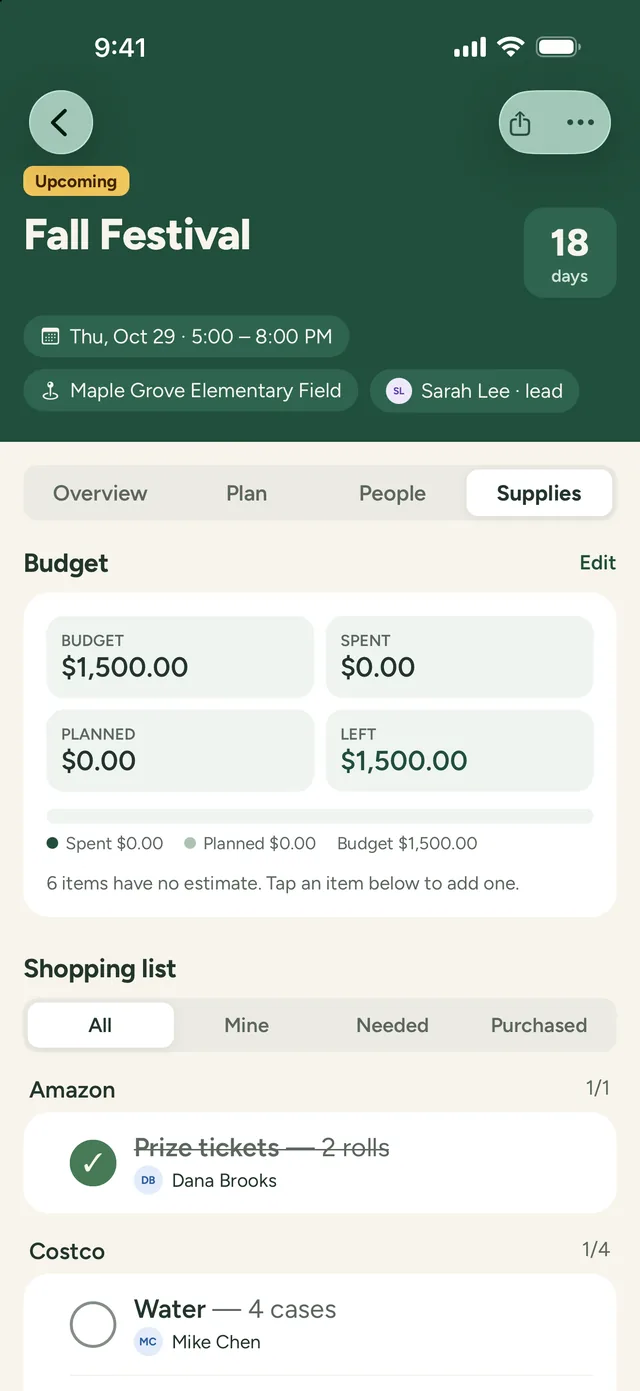
Know what’s bought, and what’s left
- Shopping lists grouped by store, with who’s buying what
- Set a budget and see what’s spent, planned, and left
- Snap a photo of a receipt, and track who’s owed a reimbursement
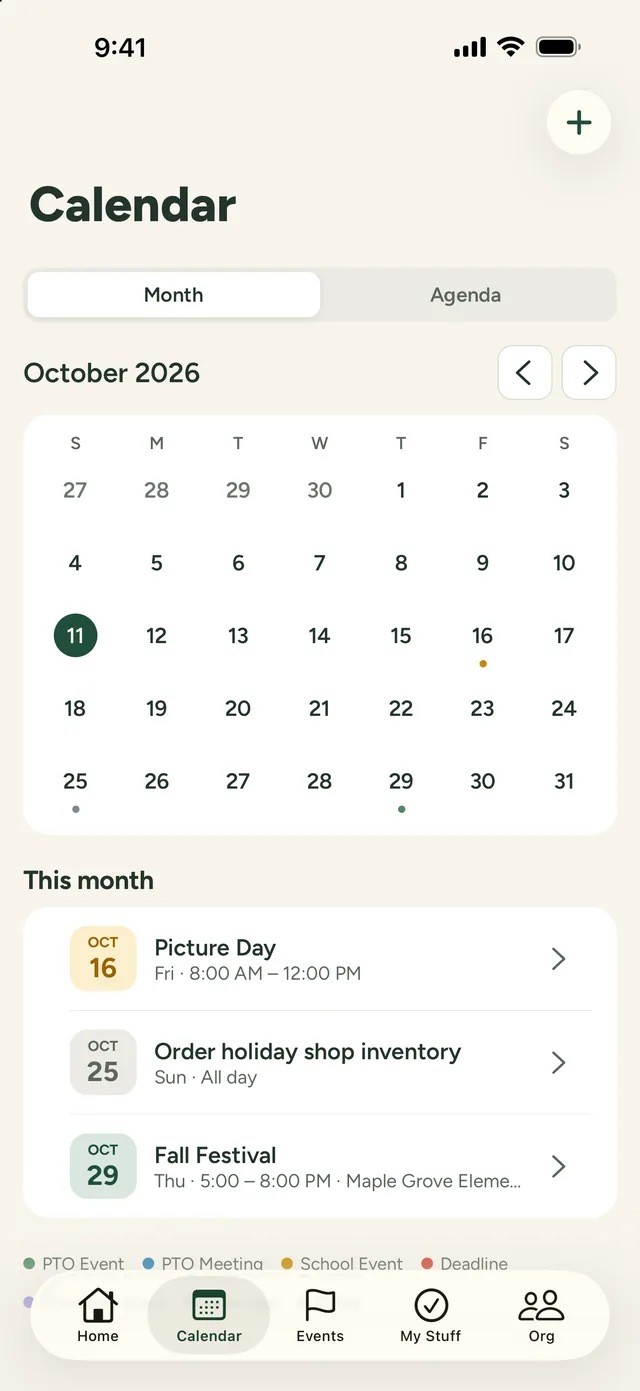
The whole year
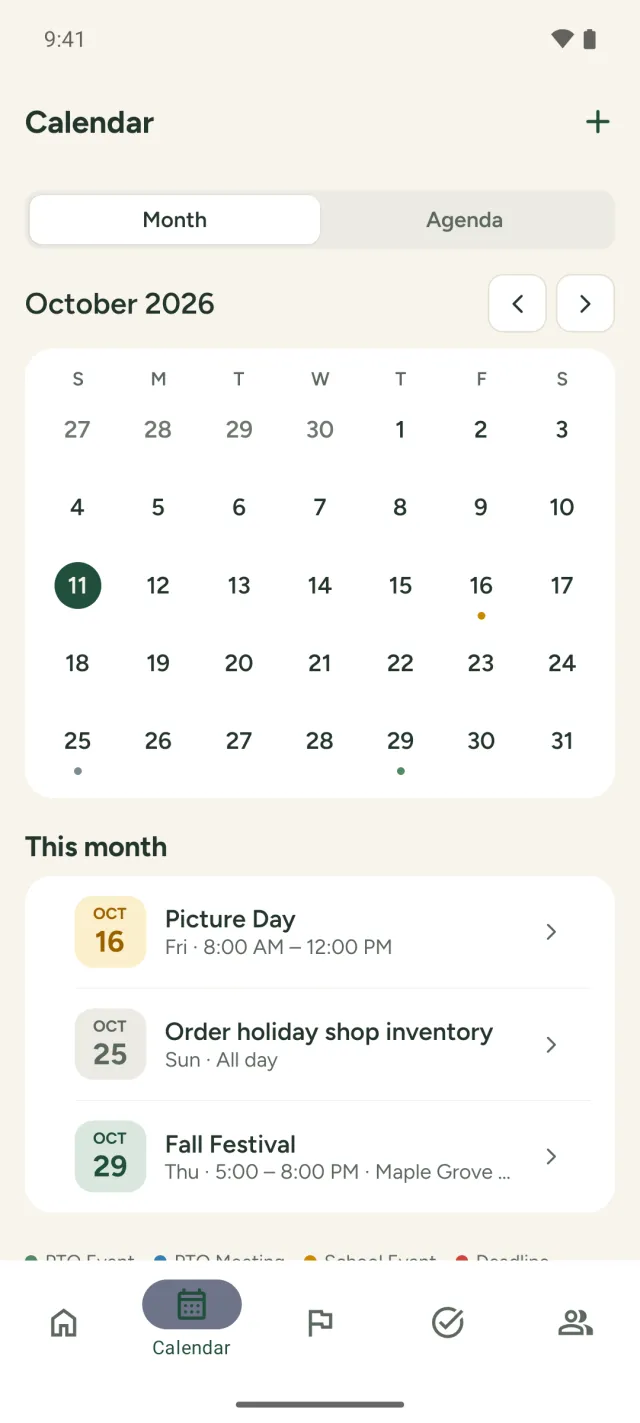
Every date on one calendar
- PTO events, board meetings, school dates, and deadlines together
- Add PineBoard to your own calendar app, and it stays up to date
- Print or save any event plan as a PDF
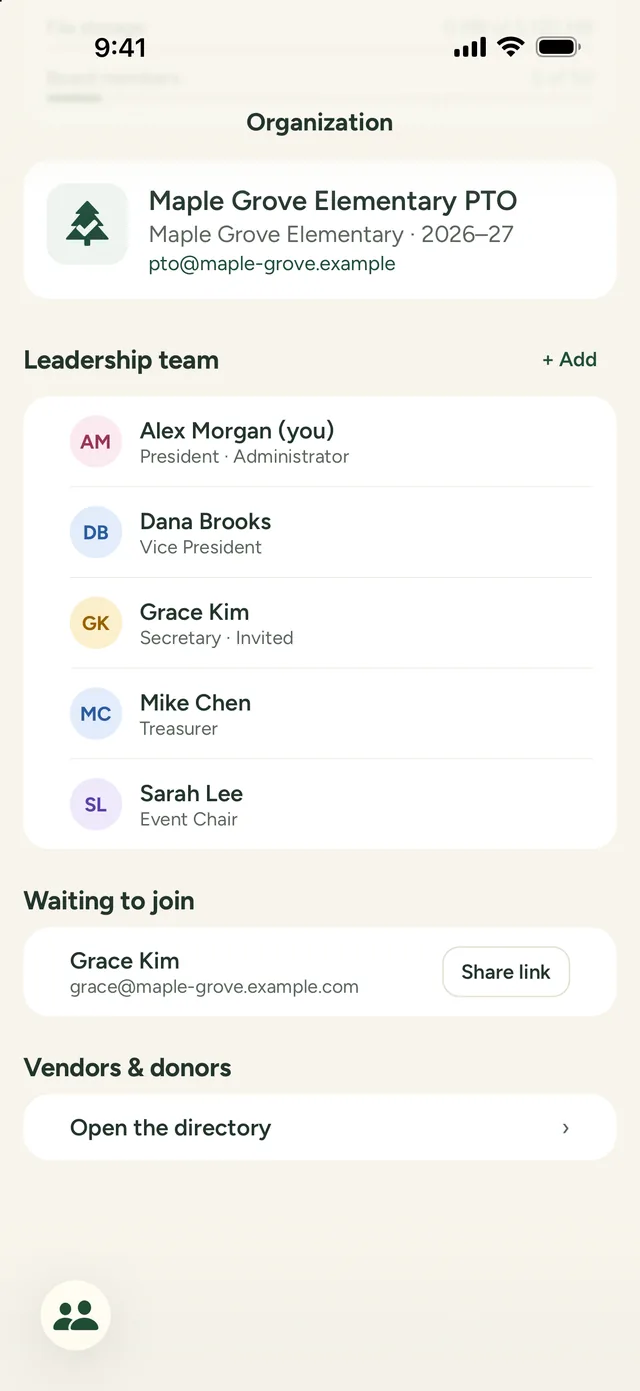
Your whole board
Everyone knows what’s theirs
- Invite your board by email, as administrators or leaders
- My Stuff shows each person their own tasks, shopping, and shifts
- Notifications when you’re assigned something, when it’s due, and when an event changes
- A shared directory of the vendors and donors you work with
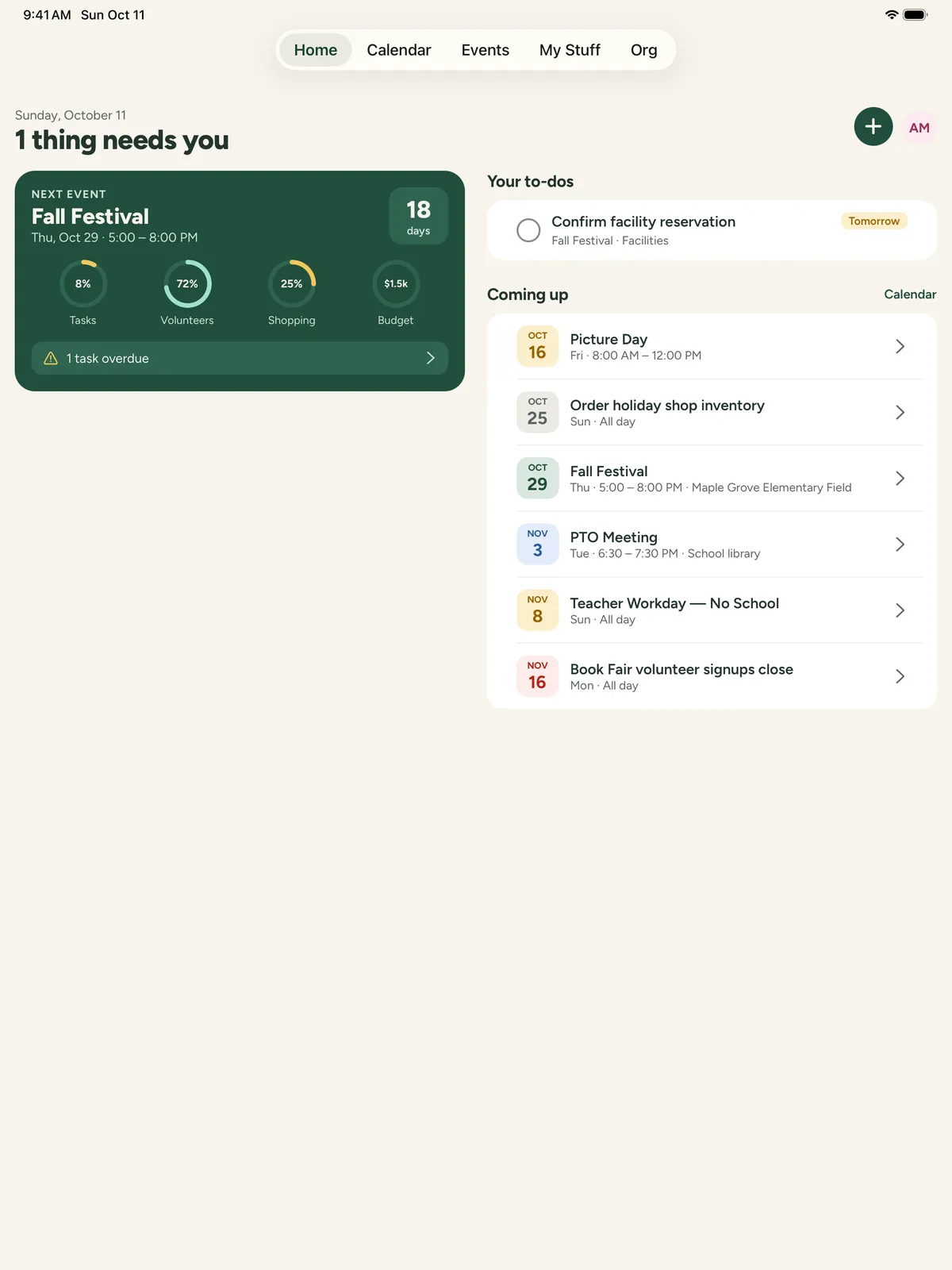
iPhone, iPad, Android, and the web
Plan from wherever you are
Check off tasks in the store on your phone, lay out the whole event on your iPad, or run the board meeting from a laptop. It’s the same board everywhere, and changes show up for everyone right away.
- • Apps for iPhone and iPad on the App Store, and for Android on Google Play
- • Two-column layouts made for iPad
- • Full access on the web at app.pineboard.app
- • Light and dark mode
And everything else a busy board needs
Plan again
Copy last year’s event to a new date, with tasks, spots, shopping, and budget.
Receipts
Photos or PDFs of receipts, with who paid and whether they’ve been reimbursed.
Attachments
Contracts, flyers, and photos kept with the event, for your board only.
Announcements
One-way updates to every volunteer who signed up, reviewed before they send.
Reminders
Task due dates, volunteer shifts the day before, and a nudge to write notes after the event.
Your calendar
Subscribe once and PTO dates appear in Apple, Google, or Outlook calendars.
Print-ready plans
A clean one-page plan of any event, to print or save as a PDF.
Export everything
Every event, task, volunteer, receipt, and file in one download, whenever you want.
Pricing
One simple plan for your whole board
Try everything free for 60 days, with no card needed. After that, one subscription covers your organization.
Yearly
Best value$149 / year
About $12 a month. Pay by card, or ask for an invoice.
Monthly
$19 / month
Pay by card. Cancel any time.
- Your whole board, with no per-person fees
- Volunteers sign up free, with no account
- Every feature on iPhone, iPad, Android, and the web
- Email reminders and announcements
- File storage for receipts and attachments
Prices are per organization, in US dollars; sales tax is added where it applies, and tax-exempt PTOs can send us their certificate. If you don’t subscribe after the trial, nothing is deleted: your board can still see and export everything. Yearly plans can be refunded within 14 days.
Questions
Do volunteers need an account or the app?
No. Your board shares a signup link, and parents pick a spot from any phone or computer. They get a confirmation email with a link to change or cancel, and a reminder the day before.
Who pays, and how?
One subscription per organization, paid by an administrator on our website by card, or by invoice for the yearly plan. Everyone on your board is included.
What happens when the free trial ends?
If you don’t subscribe, your PTO becomes read-only. Nothing is deleted: your board can still see and export everything, and volunteers can still sign up for events already on the calendar. Subscribe whenever you’re ready and everything works again right away.
Who can see our information?
Only your PTO’s board members. Volunteers see just the event and spots they sign up for. We never sell your data or show ads. See our Privacy Policy.
Can we take our data with us?
Yes. Administrators can download everything at any time, including while read-only: spreadsheets of every event, task, volunteer, and receipt, plus all your files.
Does it work for booster clubs and committees?
Yes. PineBoard is built for parent-teacher organizations, and works for any volunteer group that plans events together.
Is there an Android app?
Yes. Get PineBoard on Google Play for Android phones and tablets. Volunteers never need an app.
More answers on the Support page, or email support@pineboard.app.
Your next event, without the chaos
Set up your PTO in a couple of minutes, invite your board, and plan your next event together.
Start your free 60-day trial